Your message deserves to be seen.
Manage your digital displays, publish campaigns and control content across every location from one simple platform.
- Works with any TV browser
- No extra hardware
- Set up in minutes
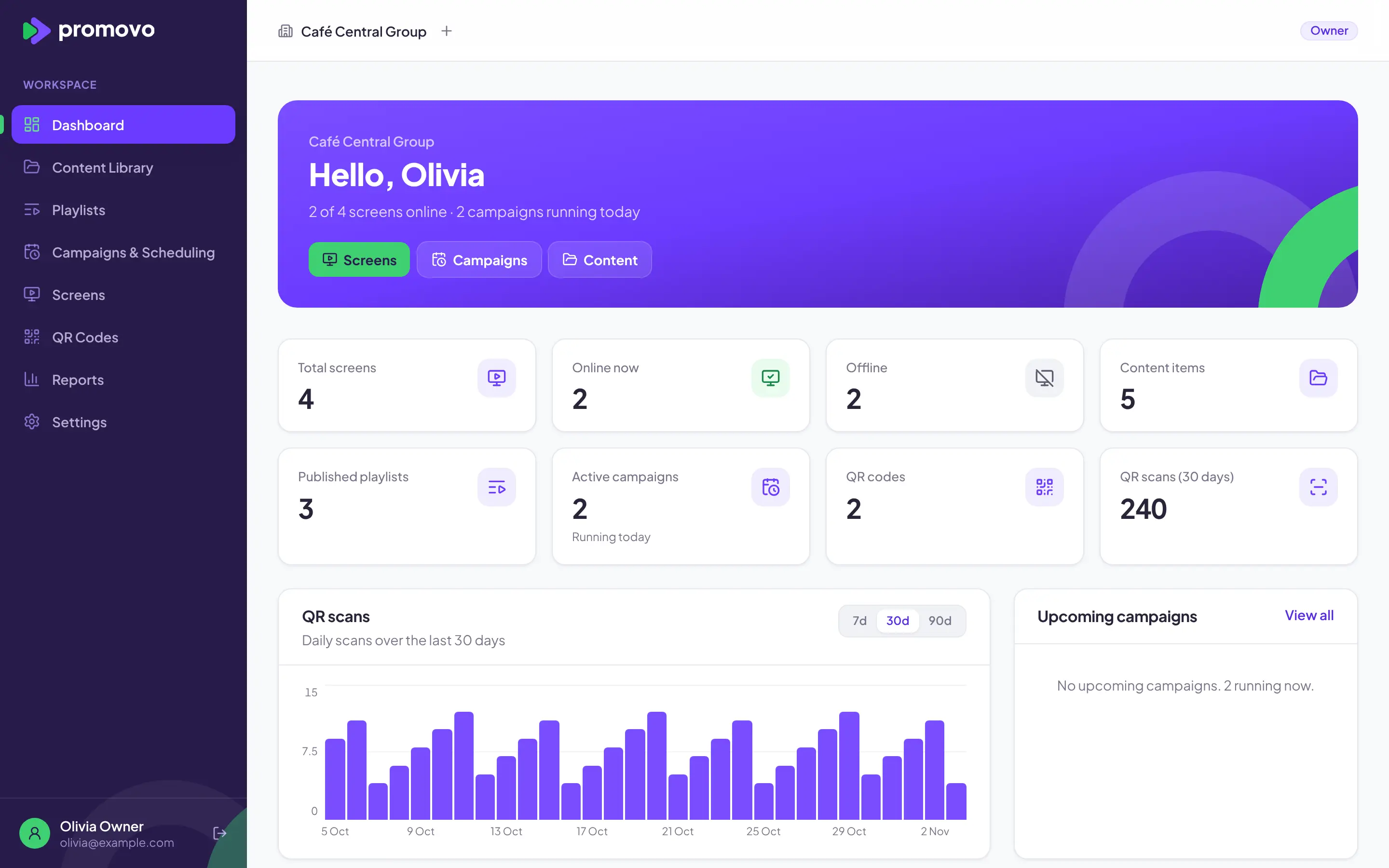
One platform. Every screen. Total control.
Features
Everything your screens need, in one place
From the first upload to the last scan, Promovo keeps your content, campaigns and screens organised.
Every TV becomes a Promovo screen
Open a private link in any TV's web browser. See which screens are online and what each one is playing, at every location.
- No apps, boxes or extensions
- Live online status and now playing
- Locations and screen groups
Dynamic QR codes
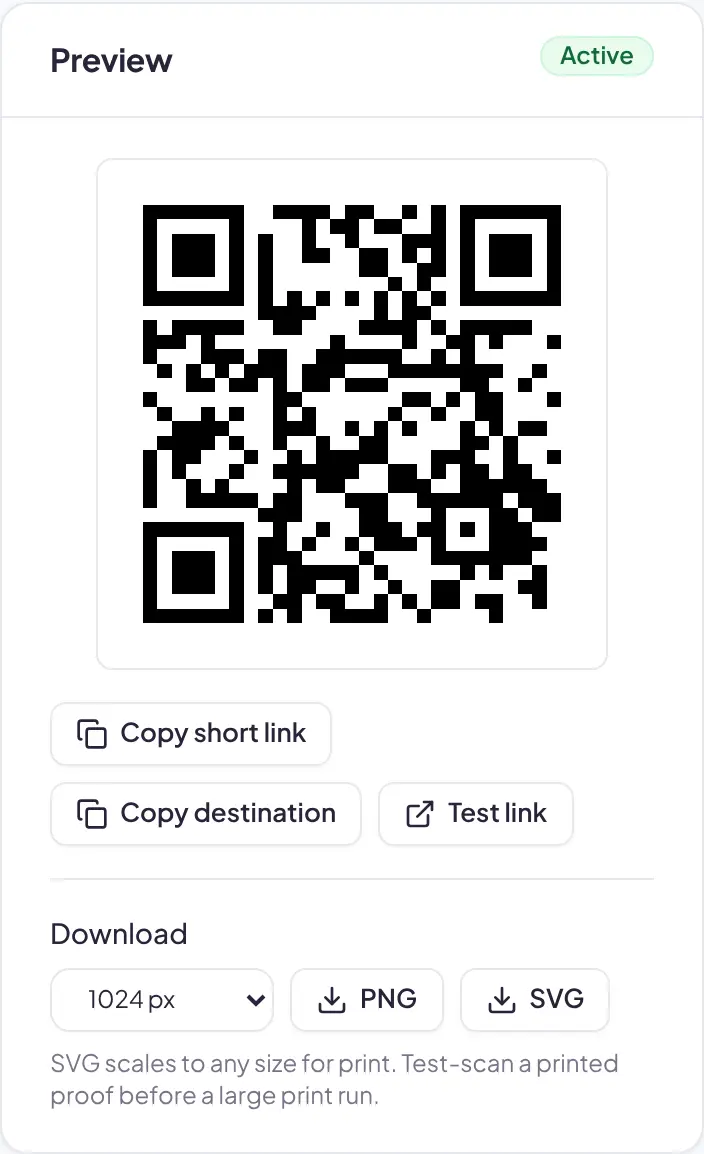
Print once and change the destination whenever your campaign changes. PNG and SVG downloads.
Schedule campaigns
By date, day and time, in each location's local time, with clear rules when campaigns overlap.
Content library
Images, videos and text slides, organised in folders and reused anywhere.
Playlists
Drag to reorder, set timings, preview and publish. Screens play the latest published version.
Locations and groups
Target one screen, a group or a whole site in a click.
Track performance
Screen uptime and QR scans by day, with CSV export for your own reporting.
Built for teams
Owner, admin, marketing editor and read-only roles, with every organisation's data kept separate.
Content
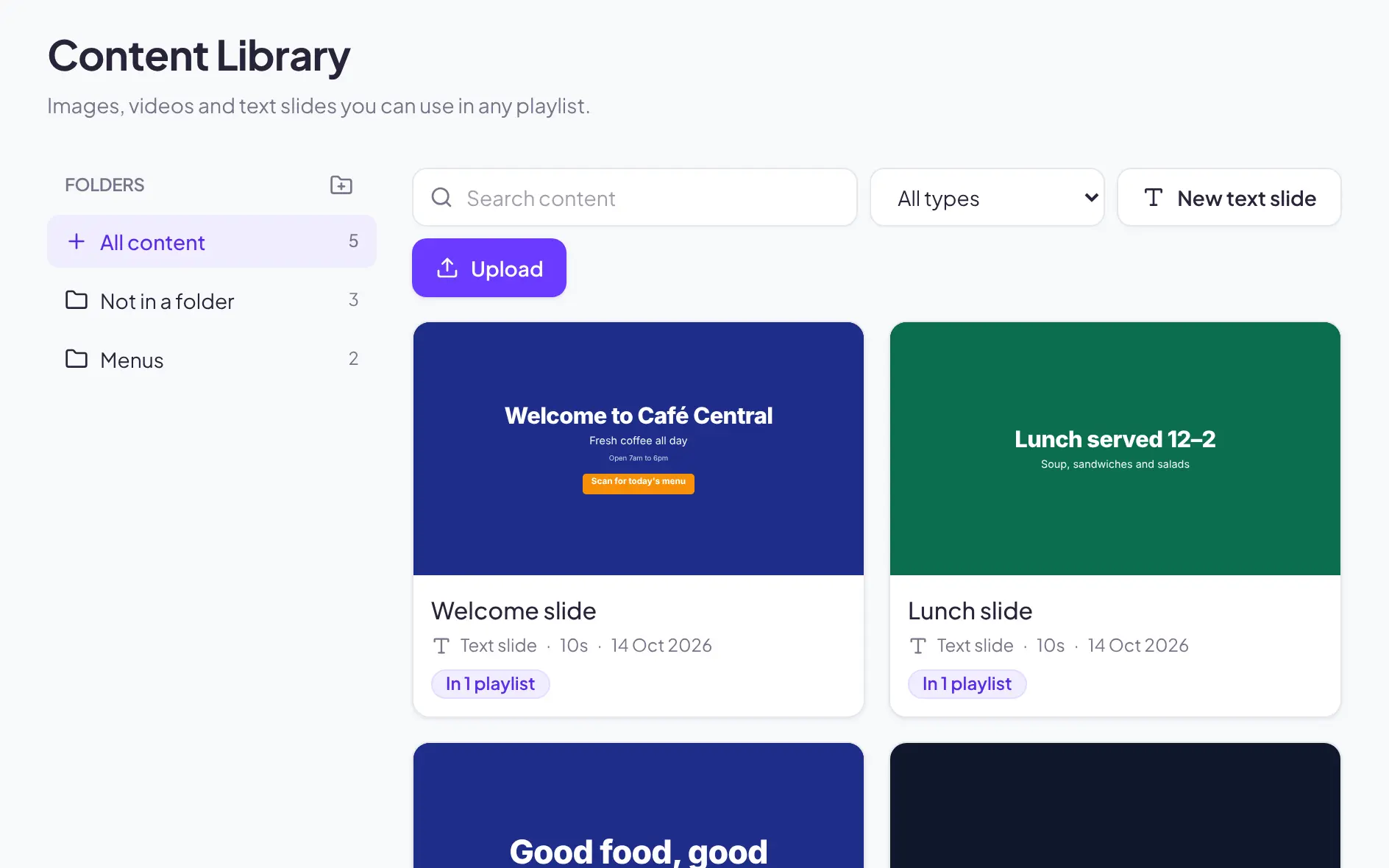
A creative library your whole team can use
Keep every image, video and text slide in one place, with folders, search and a clear view of where each piece is used.
- Images, videos and text slides
- Folders and search
- See which playlists use each item
Scheduling
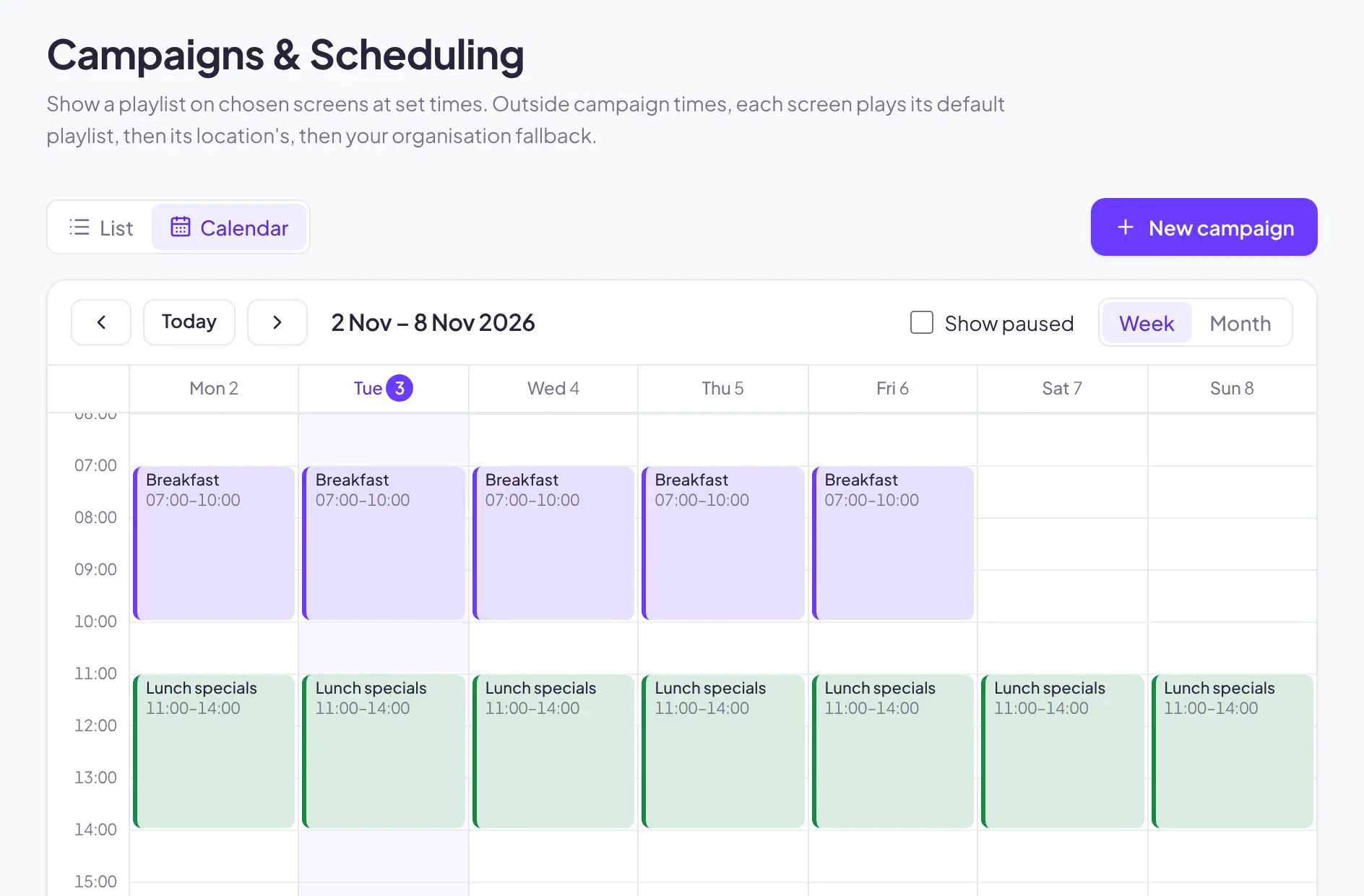
Campaigns that run themselves
Plan by day and time on a weekly or monthly calendar. When campaigns overlap, Promovo shows which one plays and why.
- Week and month calendar views
- Times follow each location's timezone
- Priorities settle overlapping campaigns
Screens
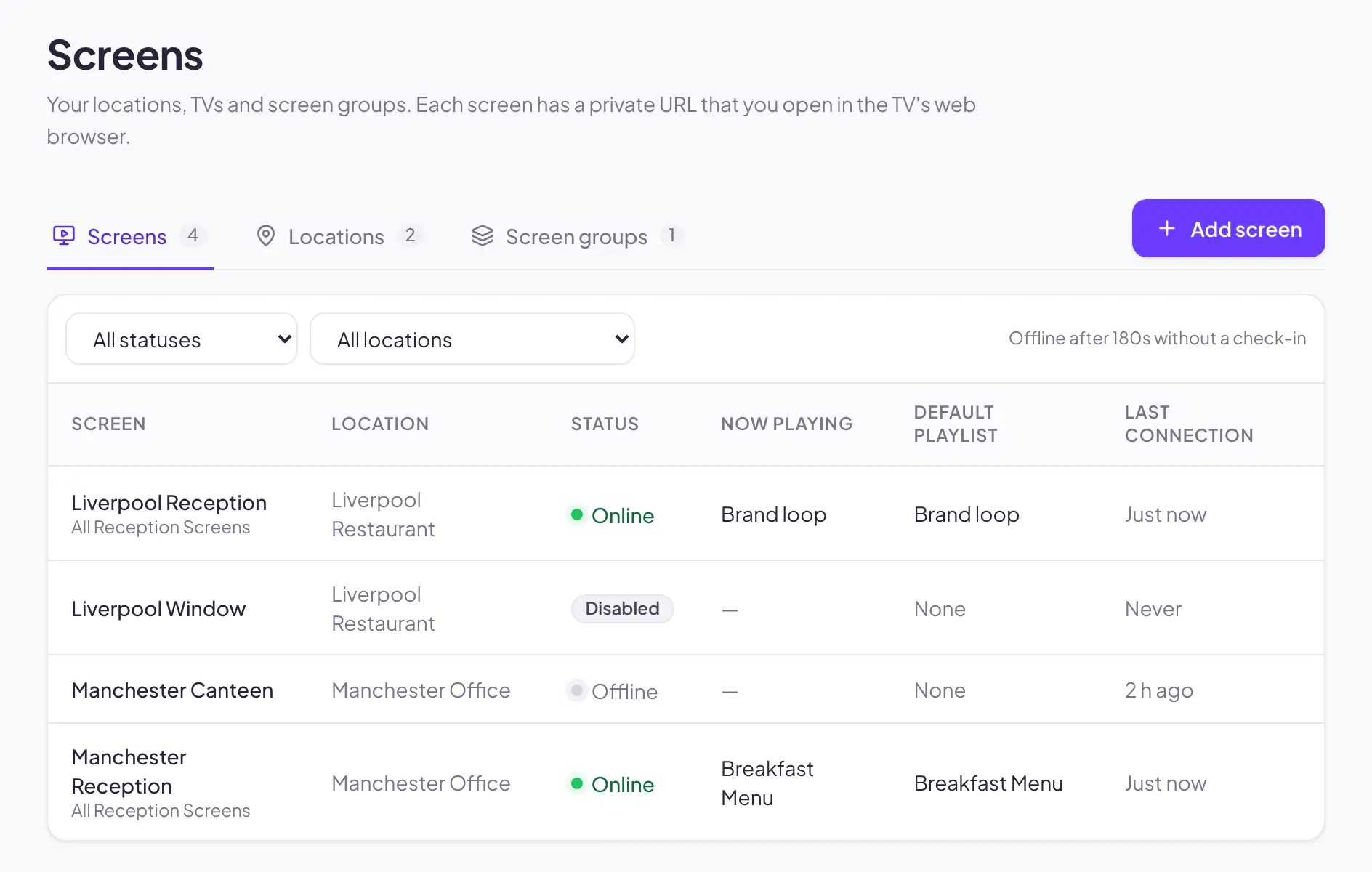
Every screen, every location, at a glance
Group screens by location, see who's online and what's playing, and give each TV its own private link.
- Live online and offline status
- Now playing and last connection
- Locations and screen groups
QR codes
QR codes that keep up with your campaigns
Create branded QR codes for posters, menus and table talkers, then change where they point without reprinting.
- Change the destination at any time
- PNG and SVG downloads for print
- Scans by day, without storing personal data
How it works
From upload to on‑screen in four steps
- 01
Upload your content
Add images and videos, or build a text slide in the editor.
- 02
Build a playlist
Put content in order, set durations, preview it and publish.
- 03
Schedule a campaign
Choose the screens, dates and times. Promovo handles the rest.
- 04
Open the screen link
Open the screen's private link on the TV. No apps or extra hardware.
Who it's for
Made for the teams behind the screens
Whether you run one café or a hundred stores, Promovo keeps your content consistent and current.
Hospitality
Breakfast in the morning, lunch at noon and seasonal offers all season long, switched automatically.
Retail
Window and in-store promotions that start and stop on time, with QR codes that lead straight to the offer.
Multi-location businesses
Keep every site on brand from one dashboard, while still targeting the screens at a single location.
Marketing agencies
Run a separate organisation for each client and switch between them from one sign-in.
Marketing departments
Give editors the tools to publish, and give stakeholders read-only access to see what's live.
Your content. Your screens. Your control.
Create your organisationWhy centralise
Smarter content. Better engagement.
Managing screens one by one wastes time and lets old offers linger. With Promovo, every screen follows one plan.
Change once, update everywhere
Edit a playlist or a QR destination and every screen and printed code follows.
The right message at the right time
Dayparts and date ranges run in each location's own timezone, including daylight saving.
Know what's live
See every screen's status, last connection and what it's playing right now.
Keeps playing offline
Screens keep showing their last content if the connection drops, then catch up automatically.
Make every moment visible.
Bring your displays to life. Create your organisation and get your first screen showing in minutes.